
Salesforce eSignature Guide: Send, Sign and Track Documents Without Leaving Salesforce
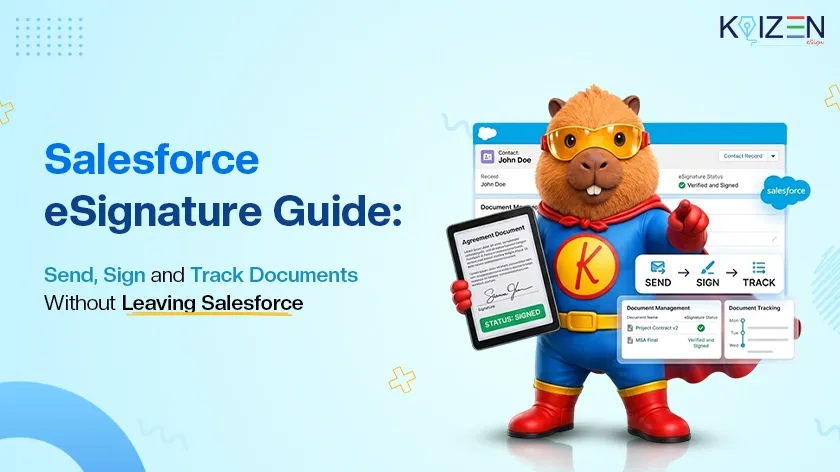

A Salesforce eSignature workflow lets your team send, sign and track contracts without leaving the platform where the deal already lives. Instead of printing, scanning and chasing replies, you trigger the request from Salesforce and follow it until the signed copy comes back.
KAiZEN eSign connects to Salesforce through its API, so signing fits the way your team already works. This guide explains how the integration works, which features help, and how to get started.
What Is a Salesforce eSignature Workflow?
Salesforce holds your contacts, accounts and opportunities, but when a deal needs a signature, the work often moves to email threads and PDFs waiting in inboxes. An eSignature workflow inside Salesforce removes that detour. With KAiZEN eSign, your team can:
- Launch every signature request straight from Salesforce
- Add multiple signers and set the order in which they sign
- Track every signature request in real time
- Receive the signed copy on a callback URL, such as a Salesforce web service
Signers can draw or upload their signature and sign from any device, so nobody needs to print a thing.
How KAiZEN eSign Connects to Salesforce
KAiZEN eSign offers developer-friendly APIs that work with Salesforce Apex, Lightning Aura Components and Lightning Web Components (LWC). Admins and developers can build the signing flow once and reuse it across records. You can see every option on our eSignature integrations page.
- API and webhooks: included in every plan.
- Sandbox testing: unlimited API access in the sandbox, so you can test complete signing workflows and debug Apex integrations before going live.
- Hierarchical approvals: a signer with order 2 signs only after the signer with order 1 has signed.
How to Send a Document with Salesforce eSignature in 4 Steps
Here is the flow at a glance. For the full Apex code samples and request parameters, follow our detailed guide on how to add digital signature in Salesforce.
- Prepare the PDF. Choose the file to sign: an existing File or Attachment, or a PDF rendered from a Visualforce page. Convert its content to base64.
- Define the signers. List each signer’s name and email and give each one an order number.
- Call the Initiate Sign API. Make a secure HTTP callout with the document content, document name, requester details, signers and an optional callback URL. The response returns a sign request ID.
- Signers sign. Each signer receives an email, opens the document in the KAiZEN eSign editor, draws or uploads a signature and submits.
Once everyone has signed, each signer gets an email with the signed document, and the signed copy is sent to your callback URL.
Salesforce eSignature Features That Speed Up Approvals
A good Salesforce eSignature tool should remove follow-ups, not add them. KAiZEN eSign includes:
- Email and WhatsApp requests: reach signers on the apps they already use every day.
- Signer management: add signers, set the signing order and see who has signed and who is pending.
- Fields and attributes: place signature boxes, dates, names, initials and text fields exactly where they are needed.
- Bulk send: share the same document with many recipients at once, such as onboarding forms, invoices and HR documents.
- Reminders and notifications: keep signers moving without manual chasing.
- Unlimited templates and signing on desktop, laptop, tablet or mobile.
Explore the full list on the KAiZEN eSign features page.
Track and Save Signed Documents from Salesforce
Visibility is where a Salesforce eSignature setup pays off. Requests you initiate or sign can be tracked inside the KAiZEN eSign customer portal, so you always know where a document stands.
- See when each document is viewed, signed or completed.
- Every action is recorded in an audit trail.
- The signed copy is sent to the callback URL you define.
- Every signer also receives an individual email with the signed document.
Is a Salesforce eSignature with KAiZEN eSign Secure and Legal?
Contracts carry sensitive data, so your Salesforce eSignature must hold up if a document is ever disputed. Unlike a pasted image of a signature, a digital signature is sealed to the document, which cannot be altered after signing.
- Standards: DSC Class III signing under the IT Act 2000, plus eIDAS and AATL compliance.
- Encryption: end-to-end encryption for your documents.
- Audit trail: timestamp, signer identity and IP address logged for every signature.
- Easy verification: open the signed PDF in Adobe Acrobat Reader and look for the green tick.
Read more on our trust and compliance page.
Where a Salesforce eSignature Workflow Helps Most
- Sales contracts and deals: close faster without printing or scanning.
- Approval documents: route them through a defined signing order.
- Internal forms and confidential records: keep them secure and trackable.
- High-volume paperwork: use bulk send for onboarding forms, invoices and customer approvals.
Pay Only for What You Sign: KAiZEN eSign Pricing
Your usage changes every month, so your Salesforce eSignature bill should too. KAiZEN eSign charges per signed document:
- Start with 10 free document requests, no credit card required.
- No setup fees and no hidden charges.
- Upgrade, downgrade or cancel anytime, with no lock-ins.
- Recipients never pay to sign.
See current rates on the KAiZEN eSign pricing page.
Start Your Salesforce eSignature Workflow with KAiZEN eSign
Getting a signature should not be the slowest part of closing a deal. With a Salesforce eSignature workflow, your team sends, tracks and saves signed documents from one place, with fewer tools and fewer follow-ups.
Ready to try it? Start free with KAiZEN eSign, test your Salesforce eSignature integration in the sandbox, and go live when you are satisfied.
Salesforce eSignature FAQs
Which Salesforce technologies does the KAiZEN eSign API work with?
The APIs are compatible with Salesforce Apex, Lightning Aura Components and Lightning Web Components (LWC), along with other platforms.
Can I add multiple signers and set the signing order?
Yes. You define each signer and an order number. A signer with order 2 signs only after the signer with order 1 has signed. Once all signers finish, each one receives the signed document by email.
Can signers sign through email and WhatsApp?
KAiZEN eSign supports signature requests through both email and WhatsApp. In the Salesforce API walkthrough, each signer receives an email with a link to open and sign the document.
How do I track the status of a signature request?
Requests that are initiated or signed can be tracked inside the KAiZEN eSign customer portal. When all signers have signed, the signed copy is sent to the callback URL you configured, which can be a Salesforce web service or any external page.
Is a KAiZEN eSign signature legally valid and secure?
KAiZEN eSign signatures use DSC Class III signing, which meets IT Act 2000 standards in India, and AATL certification for global verification in Adobe Acrobat. KAiZEN eSign is also compliant with eIDAS. Each signature carries an audit trail with timestamp, signer identity and IP address.
How can I check that a signed document is valid?
Download the signed PDF and open it in Adobe Acrobat Reader. If it shows "Signed and all signatures are valid" with a green tick, the signatures are verified and the document has not been modified since signing.
Can I test the integration before going live?
Yes. KAiZEN eSign offers unlimited API access in the sandbox, so you can test complete signing workflows and debug your Apex integration before it goes live.
Table of Contents
- What Is a Salesforce eSignature Workflow?
- How KAiZEN eSign Connects to Salesforce
- How to Send a Document with Salesforce eSignature in 4 Steps
- Salesforce eSignature Features That Speed Up Approvals
- Track and Save Signed Documents from Salesforce
- Is a Salesforce eSignature with KAiZEN eSign Secure and Legal?
- Where a Salesforce eSignature Workflow Helps Most
- Pay Only for What You Sign: KAiZEN eSign Pricing
- Start Your Salesforce eSignature Workflow with KAiZEN eSign
- Salesforce eSignature FAQs
Sign up for Free
Trial today!
Try KAiZEN for free

A Salesforce eSignature workflow lets your team send, sign and track contracts without leaving the platform where the deal already lives. Instead of printing, scanning and chasing replies, you trigger the request from Salesforce and follow it until the signed copy comes back.
KAiZEN eSign connects to Salesforce through its API, so signing fits the way your team already works. This guide explains how the integration works, which features help, and how to get started.
What Is a Salesforce eSignature Workflow?
Salesforce holds your contacts, accounts and opportunities, but when a deal needs a signature, the work often moves to email threads and PDFs waiting in inboxes. An eSignature workflow inside Salesforce removes that detour. With KAiZEN eSign, your team can:
- Launch every signature request straight from Salesforce
- Add multiple signers and set the order in which they sign
- Track every signature request in real time
- Receive the signed copy on a callback URL, such as a Salesforce web service
Signers can draw or upload their signature and sign from any device, so nobody needs to print a thing.
How KAiZEN eSign Connects to Salesforce
KAiZEN eSign offers developer-friendly APIs that work with Salesforce Apex, Lightning Aura Components and Lightning Web Components (LWC). Admins and developers can build the signing flow once and reuse it across records. You can see every option on our eSignature integrations page.
- API and webhooks: included in every plan.
- Sandbox testing: unlimited API access in the sandbox, so you can test complete signing workflows and debug Apex integrations before going live.
- Hierarchical approvals: a signer with order 2 signs only after the signer with order 1 has signed.
How to Send a Document with Salesforce eSignature in 4 Steps
Here is the flow at a glance. For the full Apex code samples and request parameters, follow our detailed guide on how to add digital signature in Salesforce.
- Prepare the PDF. Choose the file to sign: an existing File or Attachment, or a PDF rendered from a Visualforce page. Convert its content to base64.
- Define the signers. List each signer’s name and email and give each one an order number.
- Call the Initiate Sign API. Make a secure HTTP callout with the document content, document name, requester details, signers and an optional callback URL. The response returns a sign request ID.
- Signers sign. Each signer receives an email, opens the document in the KAiZEN eSign editor, draws or uploads a signature and submits.
Once everyone has signed, each signer gets an email with the signed document, and the signed copy is sent to your callback URL.
Salesforce eSignature Features That Speed Up Approvals
A good Salesforce eSignature tool should remove follow-ups, not add them. KAiZEN eSign includes:
- Email and WhatsApp requests: reach signers on the apps they already use every day.
- Signer management: add signers, set the signing order and see who has signed and who is pending.
- Fields and attributes: place signature boxes, dates, names, initials and text fields exactly where they are needed.
- Bulk send: share the same document with many recipients at once, such as onboarding forms, invoices and HR documents.
- Reminders and notifications: keep signers moving without manual chasing.
- Unlimited templates and signing on desktop, laptop, tablet or mobile.
Explore the full list on the KAiZEN eSign features page.
Track and Save Signed Documents from Salesforce
Visibility is where a Salesforce eSignature setup pays off. Requests you initiate or sign can be tracked inside the KAiZEN eSign customer portal, so you always know where a document stands.
- See when each document is viewed, signed or completed.
- Every action is recorded in an audit trail.
- The signed copy is sent to the callback URL you define.
- Every signer also receives an individual email with the signed document.
Is a Salesforce eSignature with KAiZEN eSign Secure and Legal?
Contracts carry sensitive data, so your Salesforce eSignature must hold up if a document is ever disputed. Unlike a pasted image of a signature, a digital signature is sealed to the document, which cannot be altered after signing.
- Standards: DSC Class III signing under the IT Act 2000, plus eIDAS and AATL compliance.
- Encryption: end-to-end encryption for your documents.
- Audit trail: timestamp, signer identity and IP address logged for every signature.
- Easy verification: open the signed PDF in Adobe Acrobat Reader and look for the green tick.
Read more on our trust and compliance page.
Where a Salesforce eSignature Workflow Helps Most
- Sales contracts and deals: close faster without printing or scanning.
- Approval documents: route them through a defined signing order.
- Internal forms and confidential records: keep them secure and trackable.
- High-volume paperwork: use bulk send for onboarding forms, invoices and customer approvals.
Pay Only for What You Sign: KAiZEN eSign Pricing
Your usage changes every month, so your Salesforce eSignature bill should too. KAiZEN eSign charges per signed document:
- Start with 10 free document requests, no credit card required.
- No setup fees and no hidden charges.
- Upgrade, downgrade or cancel anytime, with no lock-ins.
- Recipients never pay to sign.
See current rates on the KAiZEN eSign pricing page.
Start Your Salesforce eSignature Workflow with KAiZEN eSign
Getting a signature should not be the slowest part of closing a deal. With a Salesforce eSignature workflow, your team sends, tracks and saves signed documents from one place, with fewer tools and fewer follow-ups.
Ready to try it? Start free with KAiZEN eSign, test your Salesforce eSignature integration in the sandbox, and go live when you are satisfied.
Salesforce eSignature FAQs
Which Salesforce technologies does the KAiZEN eSign API work with?
The APIs are compatible with Salesforce Apex, Lightning Aura Components and Lightning Web Components (LWC), along with other platforms.
Can I add multiple signers and set the signing order?
Yes. You define each signer and an order number. A signer with order 2 signs only after the signer with order 1 has signed. Once all signers finish, each one receives the signed document by email.
Can signers sign through email and WhatsApp?
KAiZEN eSign supports signature requests through both email and WhatsApp. In the Salesforce API walkthrough, each signer receives an email with a link to open and sign the document.
How do I track the status of a signature request?
Requests that are initiated or signed can be tracked inside the KAiZEN eSign customer portal. When all signers have signed, the signed copy is sent to the callback URL you configured, which can be a Salesforce web service or any external page.
Is a KAiZEN eSign signature legally valid and secure?
KAiZEN eSign signatures use DSC Class III signing, which meets IT Act 2000 standards in India, and AATL certification for global verification in Adobe Acrobat. KAiZEN eSign is also compliant with eIDAS. Each signature carries an audit trail with timestamp, signer identity and IP address.
How can I check that a signed document is valid?
Download the signed PDF and open it in Adobe Acrobat Reader. If it shows "Signed and all signatures are valid" with a green tick, the signatures are verified and the document has not been modified since signing.
Can I test the integration before going live?
Yes. KAiZEN eSign offers unlimited API access in the sandbox, so you can test complete signing workflows and debug your Apex integration before it goes live.
Sign up for Free
Trial today!
Try KAiZEN for free